|
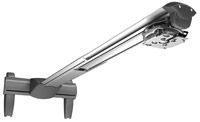
Polaris Universal Projector Mount (MAG)|Polaris Universal Projector Mount (MAG-EXT)|Polaris Universal Projector Mount (MAG-PRO)|Polaris Universal Projector Mount & T-Frame Kit|Peerless Universal PRG Precision Gear Projector Mount PRG-UNV|Peerless PRS Universal Ceiling Projector Mount|Premier Universal Projector Mount|Premier Universal Projector Mount with Adjustable Channel|Chief RPA Series Universal Projector Mount|Chief iC Series Universal Projector Ceiling Mount - iCPRIA1T03|Premier Complete False Ceiling Mounting Bundle - PBC-FCTA|Da-Lite CPM-A6 Universal Projector Mount and False Ceiling Bundle|Premier Gyrolock Projector Mounts|Premier FTP Fine-tune Universal Projector Mount for Projectors up to 65 lbs.|Premier Universal Short-Throw Projector Arm - White - UNI-PDS|Premier Wall Mount for Short-Throw Projectors - Extends up to 67" - UNI-EXT|Premier Universal Short-Throw Projector Arm with Audio - UNI-STA+AUDIO|Premier Short-Throw Projector Arm w/ Extension & Audio - UNI-EXT+AUDIO|Peerless Short Throw Projector Mount - PSTA-2955|Chief Short Throw Projector Dual Stud Wall Mount Kit - WM230AUS|Chief Interactive Wall Mount Kit w/0–18" Extension - WM210AUSI|Chief Interactive Wall Mount Kit w/18–30" Extension - WM220AUSI|Chief Interactive Wall Mount Kit w/30–54" Extension - WM230AUSI|Chief RPA Series Projector Mounts|Premier PBM Large Projector Mounts|Draper Orbiter Motorized Projector Lift|Draper Phantom Motorized Projector Lift|Da-Lite Da-Lift Pivot Motorized Projector Lift|Da-Lite Da-Lift Motorized Projector Lift|Chief SL220 SMART-LIFT Lightweight Automated Projector Lift (8")|Chief SL151 SMART-LIFT Automated Projector Lift (8")|Chief SL236SP SMART-LIFT Automated Projector Mount (For Suspended Ceiling installations, 120V) |
Projector ceiling mounts and projector wall mounts are available in both generic and manufacturer brands. Projector mounts provide a great means of positioning the projector to obtain optimal image size and viewing angle for your screen or viewing surface. You've spent plenty of time and money choosing the perfect projector for your home theater or business. But, have you considered where you're going to place it and how? Here are some helpful tips for mounting your new projector. Universal Projector mounts are compatible with many different projectors. Although projectors are the central point of a viewable image, it is not ideal for the projector itself to be the central point of a room. Many users choose to mount the unit to a ceiling or to a wall to save space and to avoid blocking the image. In some cases, the projector can also be inverted. This can be determined by looking under your projector. If there are no threaded screw holes on the bottom of the projector, it cannot be inverted. If it cannot be inverted you can choose to purchase a ceiling mount that acts as a platform where the projector can sit upright, or you can choose a mount that acts as a clamp. Projectors can weigh anywhere between 10 to 50 lbs and sometimes more. Depending on the weight of your projector it may need to be mounted to a load-bearing surface. To make sure that your projector is securely mounted, you must first have a set of wall studs or a ceiling joist that will support the weight of your projector. With the correct hardware, projectors can be mounted to sloped or cathedral ceilings, to brick, concrete, or cinderblock surfaces. Ceiling MountsBefore purchasing a projector ceiling mountthat inverts the projector, make sure you verify that it does have mounting holes on the bottom of it. If you choose to mount the projector to a ceiling, you may either mount it flush to the ceiling or have it drop down any length. If you want to drop the unit down off the ceiling a certain distance, a ceiling plate and extension pipe are required to properly position and secure the projector. Be sure to read the descriptions for each mount on our site. Also be sure to check above your ceiling surface for wood or metal joists, ibeams, or trusses. It is important to make sure that a potential mount will come with the appropriate hardware.Wall MountsFor wall mounting a projector you will need a sturdy wall stud to securely mount your projector. Most wall mount units are designed to attach to only one stud, so it won’t matter how far apart the studs are. Hardware accessory kits are available or sometimes included with the mount for metal studs, and also for solid concrete or cinder blocks. Check to make sure the wall mount you're purchasing includes the hardware you require. Projector LiftsIf you really want to enhance your home theater or office with style and technology, the ultimate projector mount is a lift. A projector lift will conceal and reveal your projector within a ceiling with the touch of a button on a remote or wall switch. Making Sure It Fits Installing the Projector MountInstalling your projector and mount should be done with two or more people regardless of the size of the projector. Lifting the projector into place, positioning it and then fastening it to the mount is a simple job, but it is important to have another person available to help hold the projector while you work to attach it to the mount. We recommend securing your mount to its fixture in the ceiling or wall and then mounting your projector to the mount itself. Also, be sure to read the mount and projector installation instructions that accompany your projector and mount. |